Patch sound. Share the graph.
Synflow is a browser-based, node-graph workstation for building synths, effects, MIDI tools and interactive audio — powered by the Web Audio API and AudioWorklets. No install, no account.
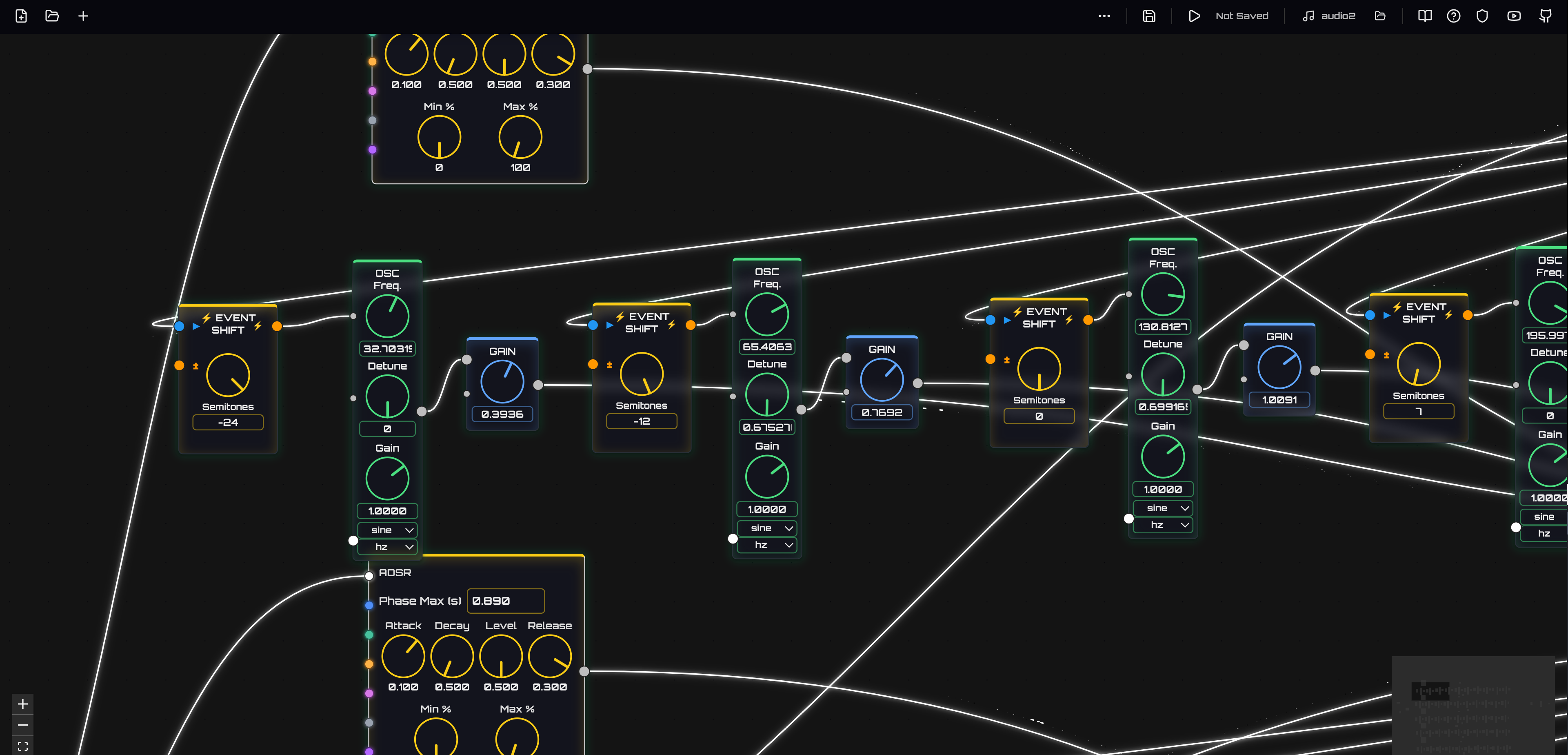
What's in the box
A modular-synth feel with an editor built for fast iteration: wire nodes, hear the result, keep what works.
Visual node editor
Drag oscillators, filters, envelopes and effects onto a canvas and connect them. Hybrid graph: audio-rate signals and flow-event/control streams side by side.
Web Audio building blocks
Oscillators, filters, dynamics, delay, reverb, distortion, frequency shifters and analyzers — plus AudioWorklet/WASM processors for low-latency DSP.
MIDI & sequencing
MIDI notes, knobs and files, clocks, arpeggiators, automation and frequency utilities. Play a patch from a keyboard or the on-screen piano.
Live instrument panel
Expose the knobs that matter and get a playable panel with keyboard or drum pad — or design a custom HTML faceplate.
Mothscilla DAW
Use Synflow flows as instruments and effects inside a pattern/arrangement DAW with mixer, buses, automation and a built-in EQ.
VibePlugin support
Load AI-built .vstai plugins from the VibePlugin gallery as instruments or effects, next to your own flows.
Public flow gallery
Open a community patch, see its graph, and load it into the editor with one click. Every flow is plain JSON — download it, remix it, publish your own.
Publish your own
Built something worth hearing? Send it to the gallery straight from the editor — no fork, no pull request.
1 · Click publish
Open your flow in the editor and press the cloud-upload button in the top bar. Name it, describe it, add a few tags.
2 · Sign in with GitHub
So the gallery can credit you. Synflow only reads your public profile, and your flow is filed as an issue on the Synflow repository.
3 · It gets reviewed
A maintainer looks at every flow — especially ones with script or worklet nodes. Once approved it shows up here within a minute, with your name on it.
To keep the gallery clean you need a GitHub account at least a week old and can publish a few flows per day. Flows are shared under the MIT license. Prefer the command line? node scripts/build-flow-gallery.mjs publish my-flow.json still works for pull requests — see the gallery guide.
In development Native VST3/AU plugin that renders flows outside the browser.